Thinky Blobs
A downloadable Aseprite Extension for Windows, macOS, and Linux
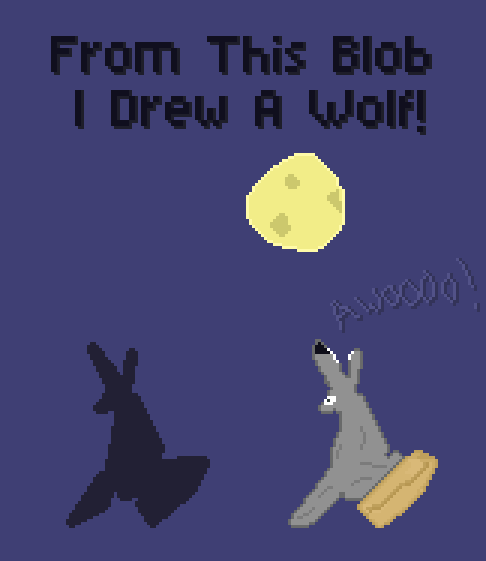
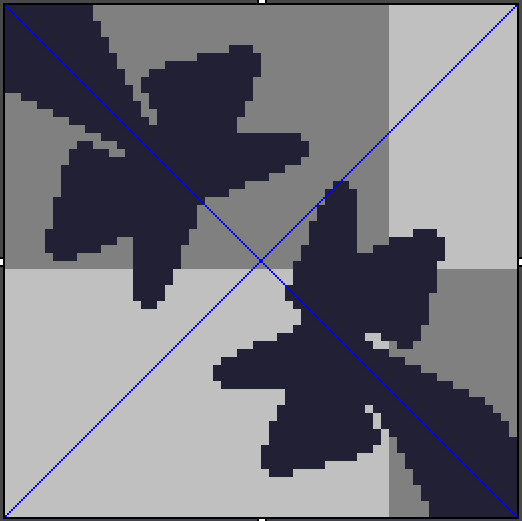
This is what Thinky Blobs is all about! Thinky Blobs chooses random points on the canvas and draws lines between each point and then fills in the shape to make a unique looking blob. The goal is to look at the blob and get creative by pixeling / drawing over what you might see.
Everything is done via math and randomness and I am a strong believer that the creative should be left in human hands so of course no slop used for the creation of this tool or even how it works! (Just like all of my tools in fact) (Its a shame I even have to put this here but as the tool creates shapes I figured I should include it just incase, ugh timeline)
The tool is meant to be quite fun and can be used to help give a little inspiration especially if your feeling stuck and not sure what you want to draw. It also can be used as a fun challenge, perhaps a channel point redeem on stream even?
Thinky Blobs also has a built in system to copy and paste the last used settings which is aimed at sharing or saving blobs you enjoy! Again this could be fun to do in your community as a neat challenge.
Very excited to see what everyone does with this and what you all are able to create.
Let's get inspired... no wait INKspired!
Thinky Blobs requires Aseprite version 1.3.13 or newer
(1.3.15 or newer recommend for full functionality)
A Very Special Thank You To Supporters
Going Above And Beyond 🥰

At it's core it may seem like a very simple tool but there are many ways to use it and even some advanced options to increase its flexibility too. All that is needed is a bit of imagination and creativity!
Excited to see which shapes you take on and what you all are able to make from them.
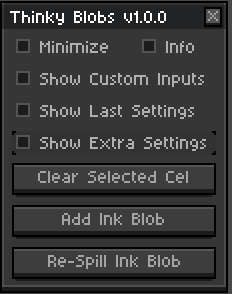
To get started I've included two simple buttons for you to try.
Add Ink Blob and Re-Spill Ink Blob
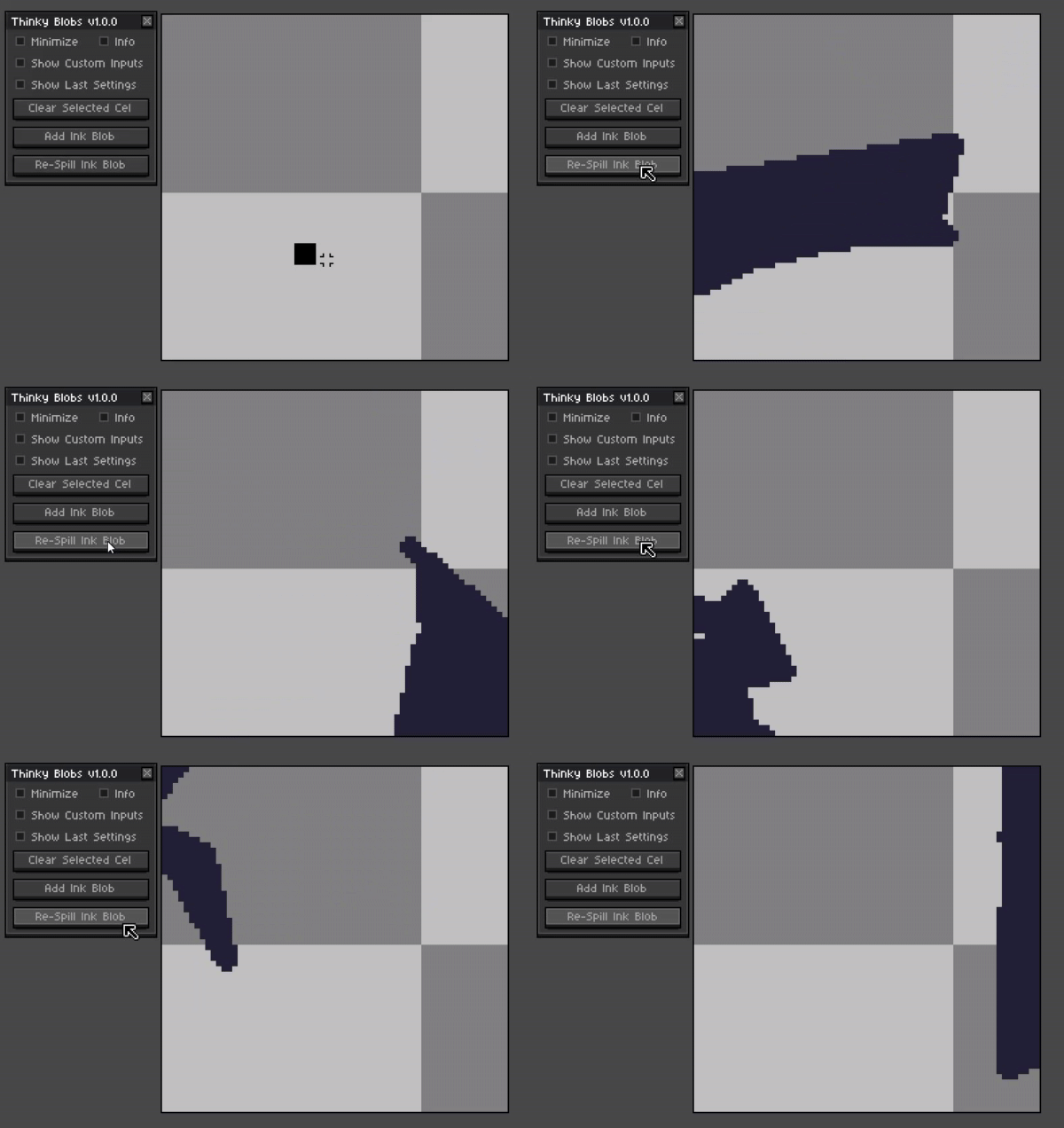
With these you will be able to place a shape on the canvas with the default settings if the first shape doesn't catch your eye then you can simply press the re-spill ink to try another shape.
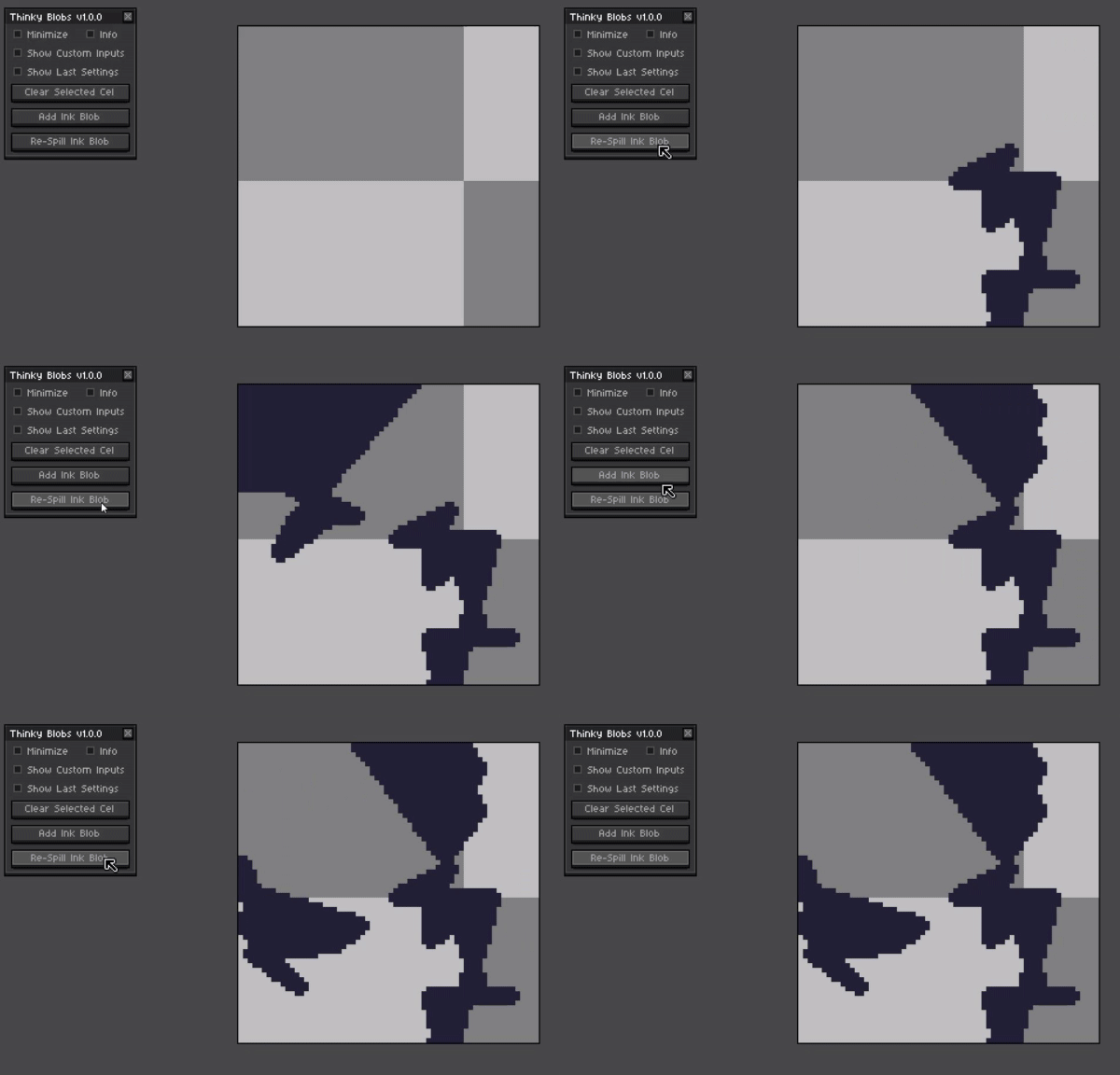
Multiple shapes can also be added to the canvas so feel free to experiment.
Interesting And Fun Ideas To Try
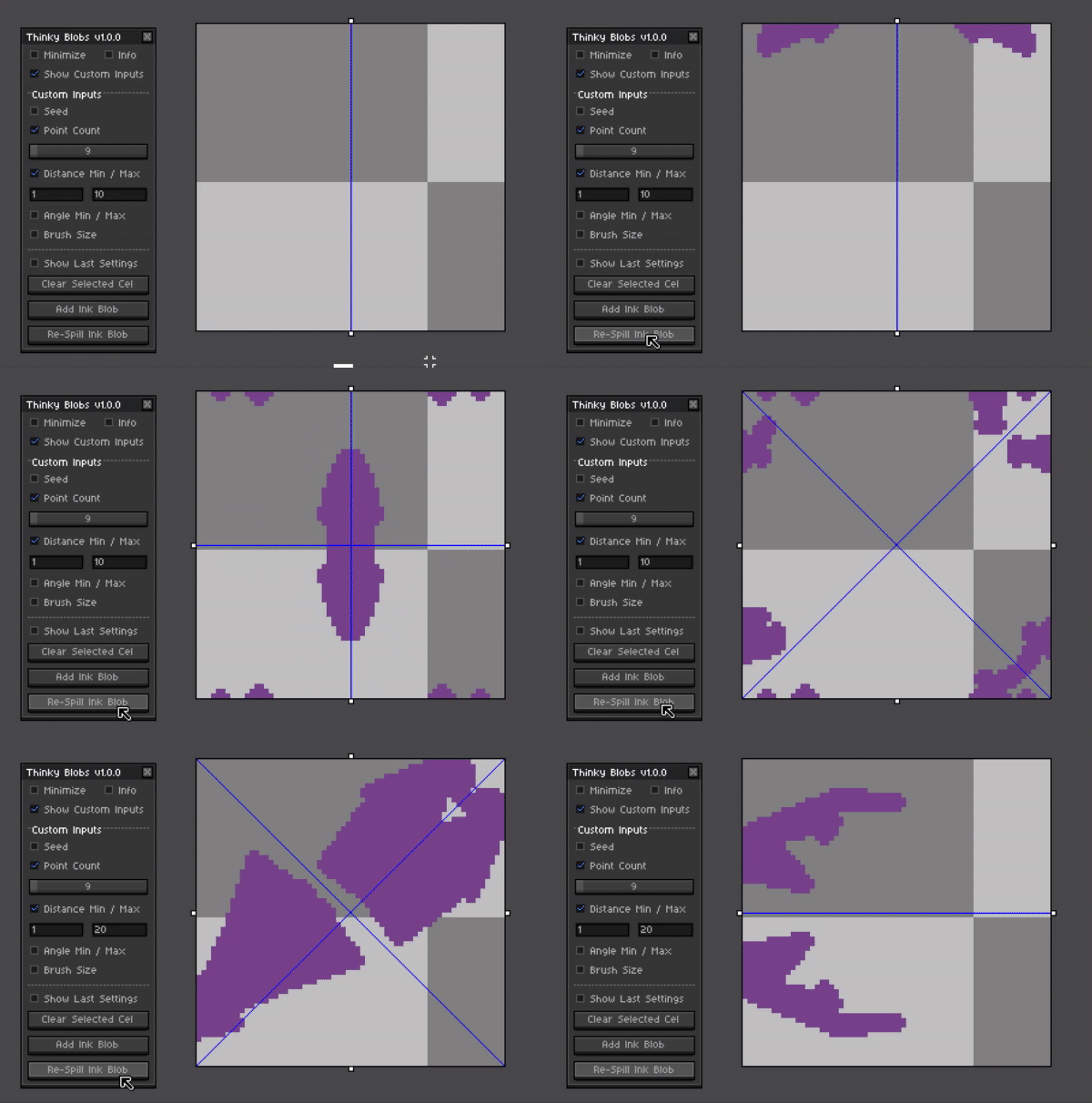
Try with symmetry
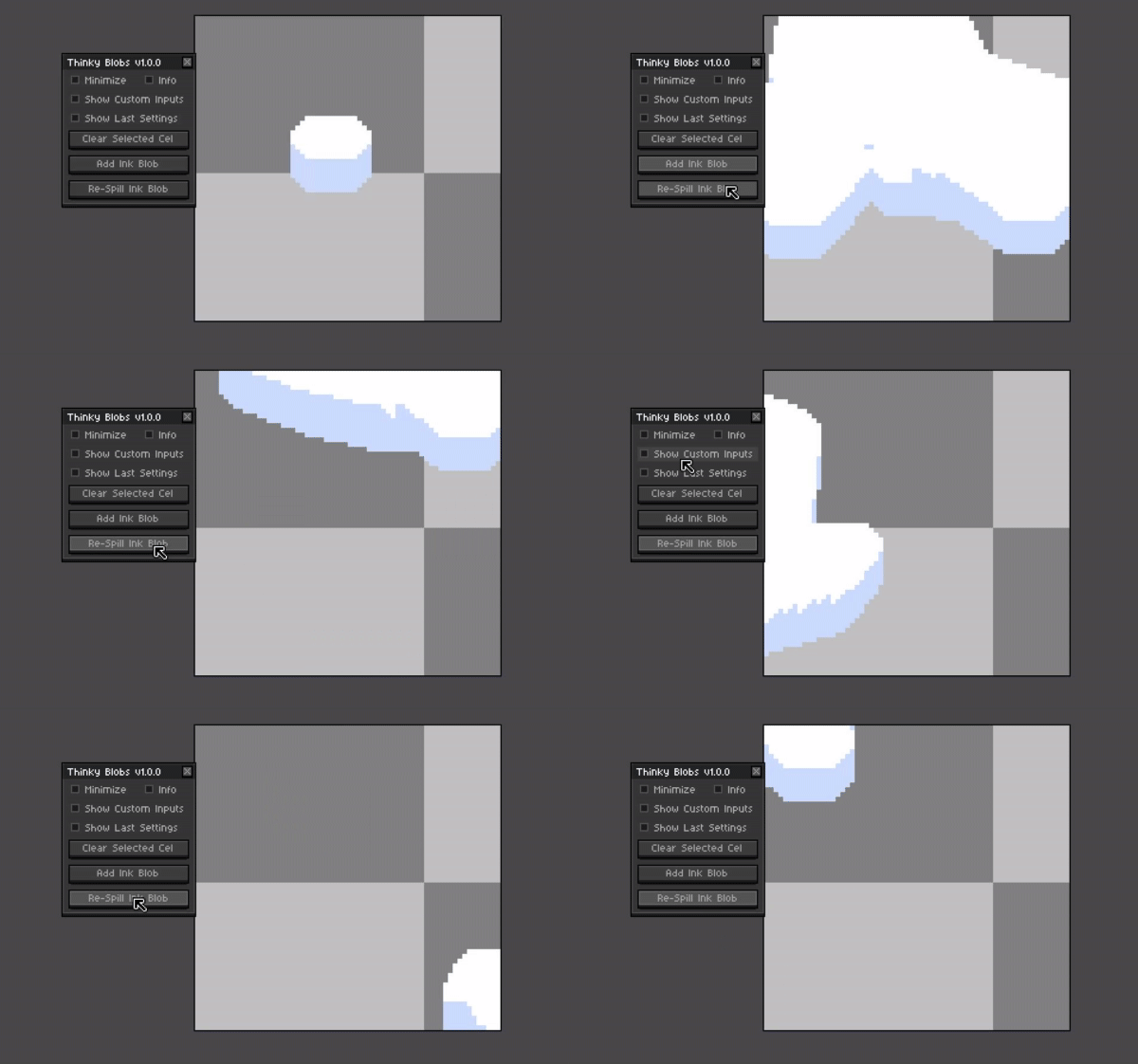
Try with custom brushes
Customizable Options
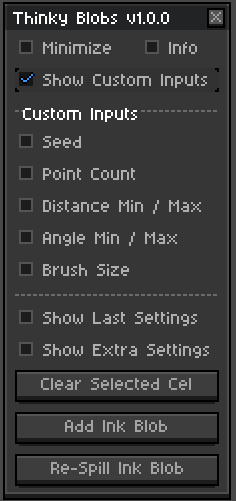
Blob Point Count
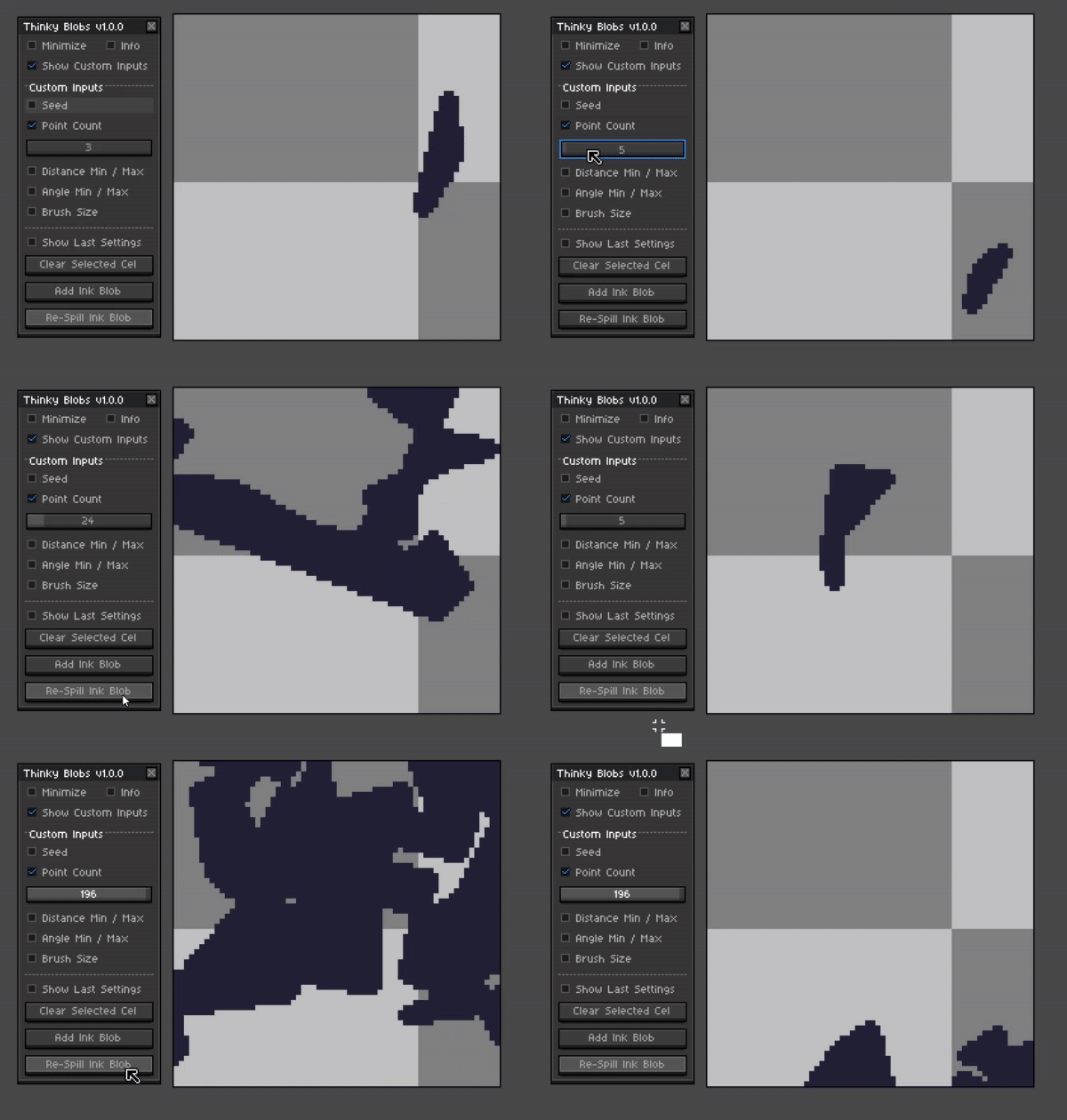
A lower point count will draw simpler shapes and fewer lines will be drawn when creating the shapes. Likewise a higher number will make more lines for the blobs. For each point a single connected line will be drawn. This is basically how many corners or sides are created when making the blob.
Min/Max Distance Between Points
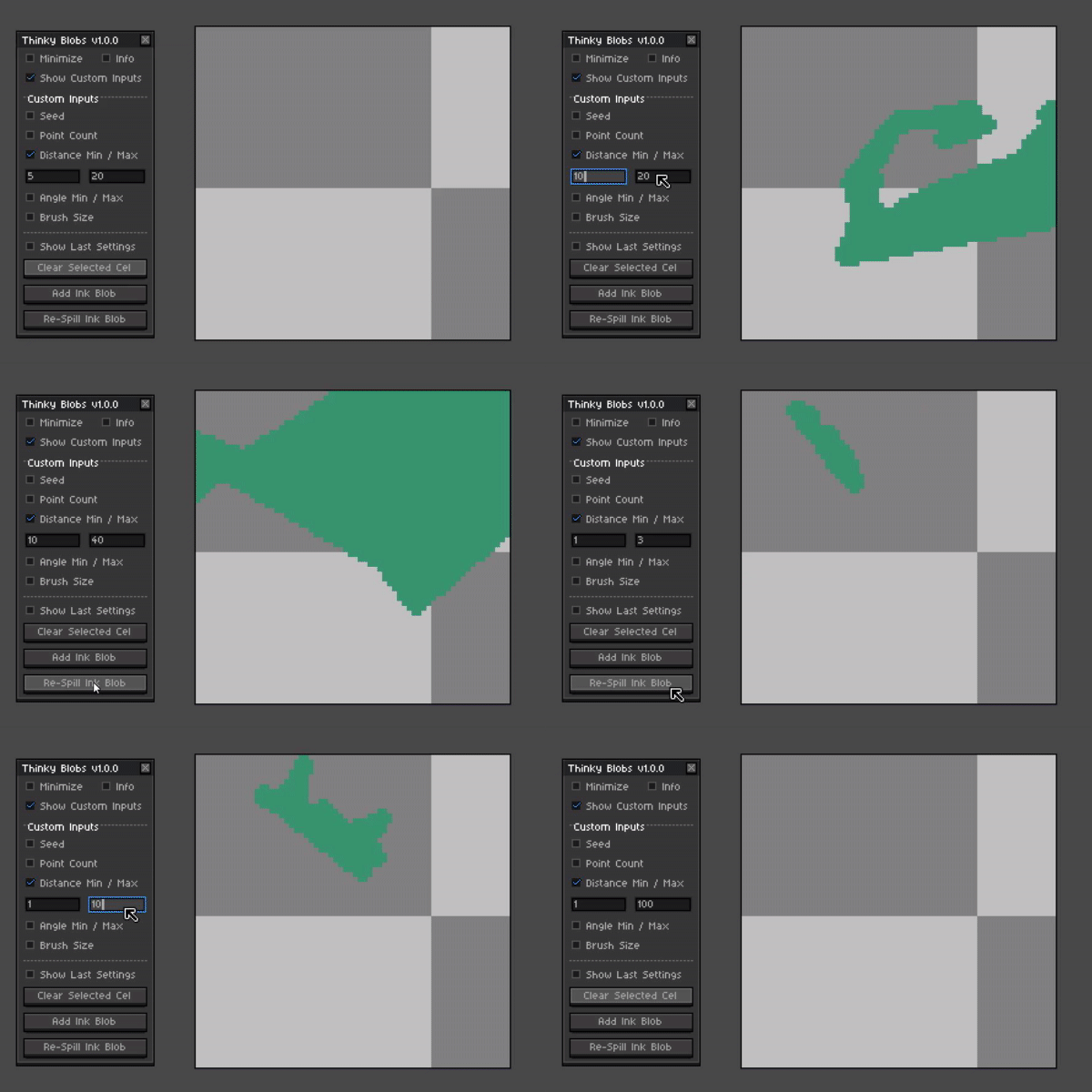
The Distance between each point when creating a line for the shape / blob. If both numbers are closer the shape will seem more consistent. Tinkering and experimenting with these numbers can create vastly different shapes.
Min/Max Angle To Next Point
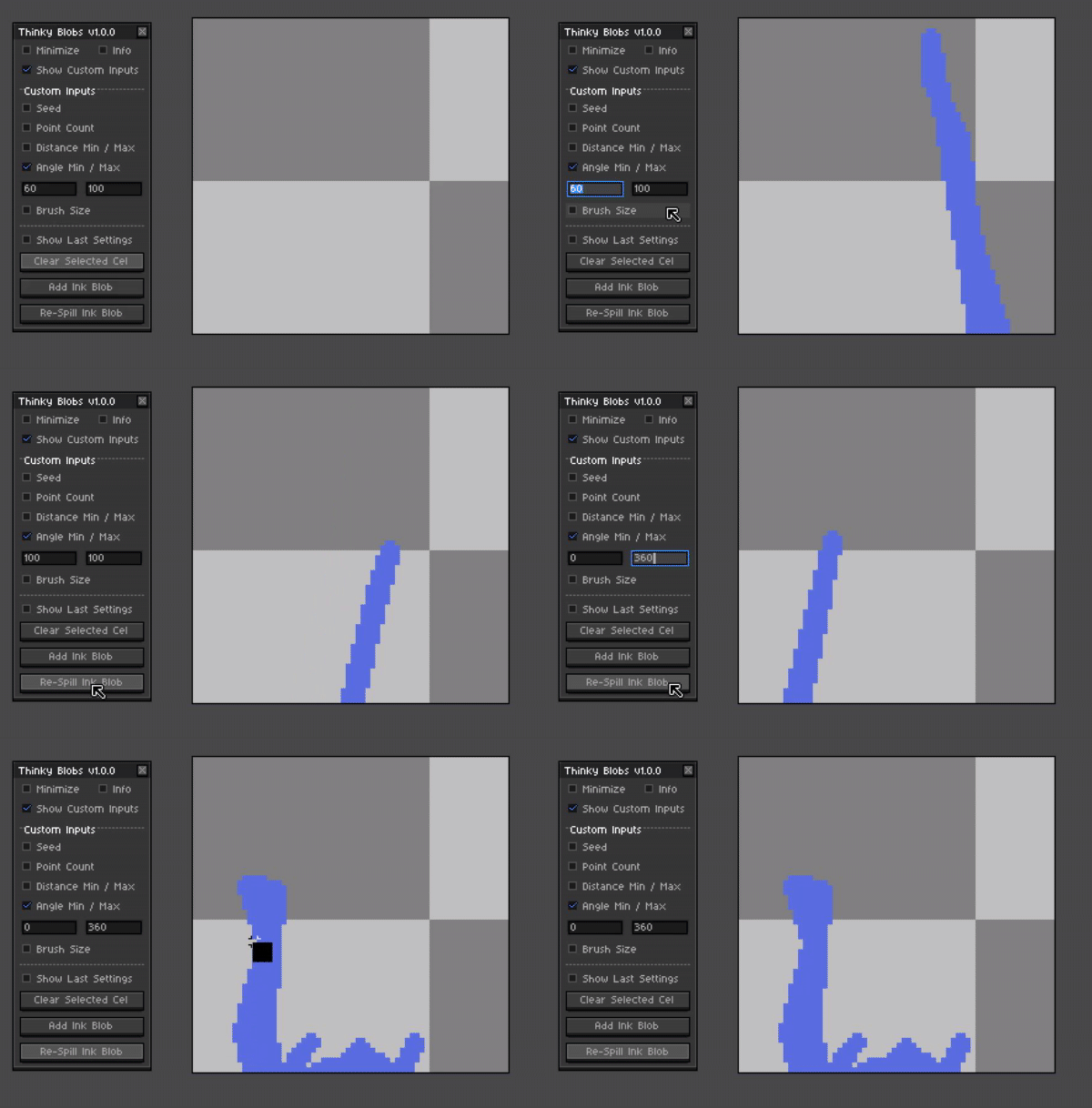
A minimum and maximum angle or direction that is selected for each line that makes up the blob. Setting the Min and Max angle closer to each other will make shapes that seem to go in mostly one direction.
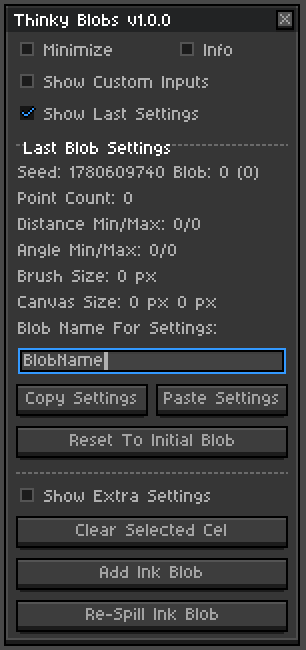
Last Blob Settings (Copy And Paste)
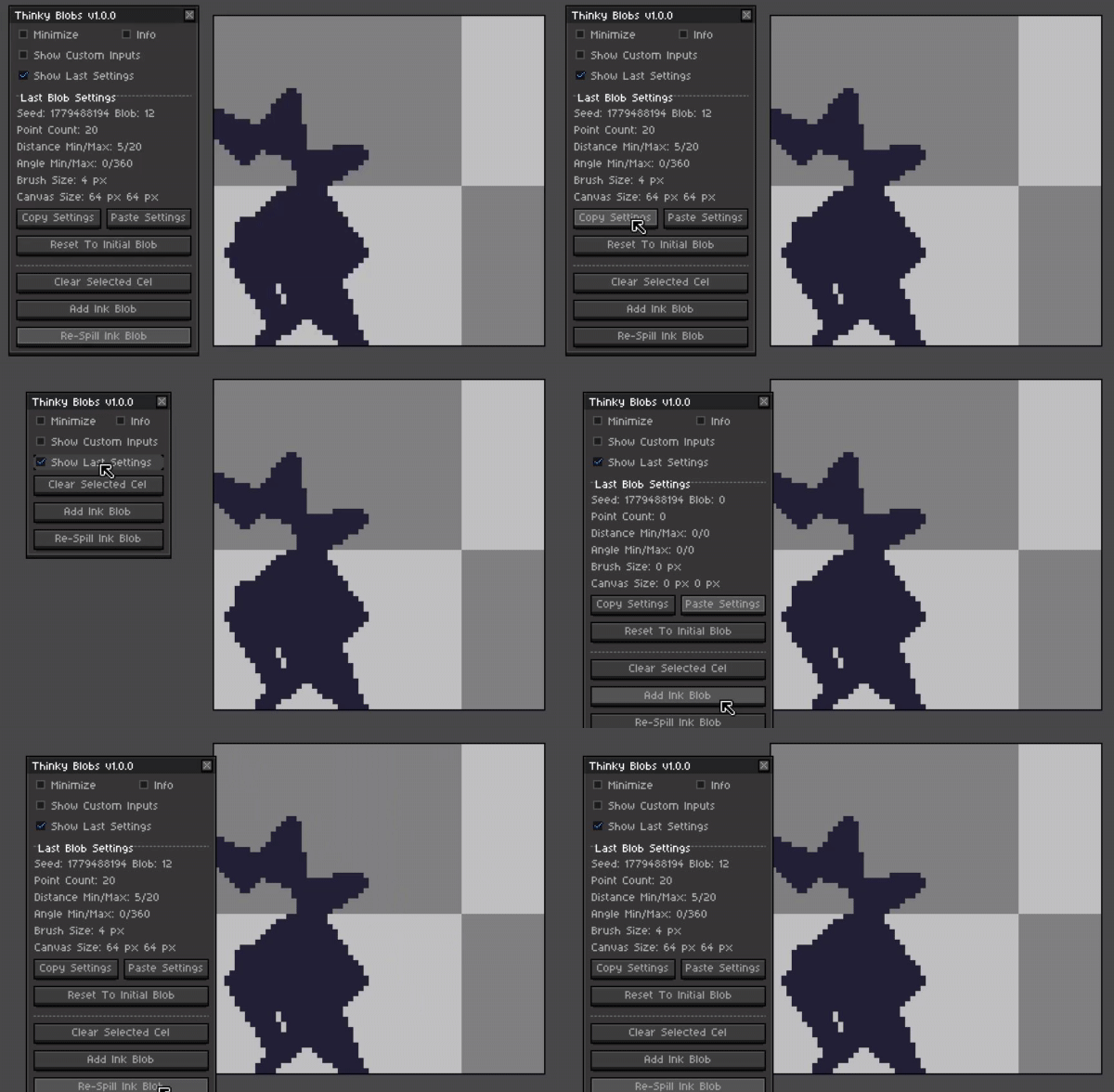
With the built in copy and paste settings buttons this will make it quite easy to share settings with friends. Keep note that the Blob number will reset so try to remember which number you had there when sharing so that others can re-spill up to that exact blob.
Reset To Initial Blob
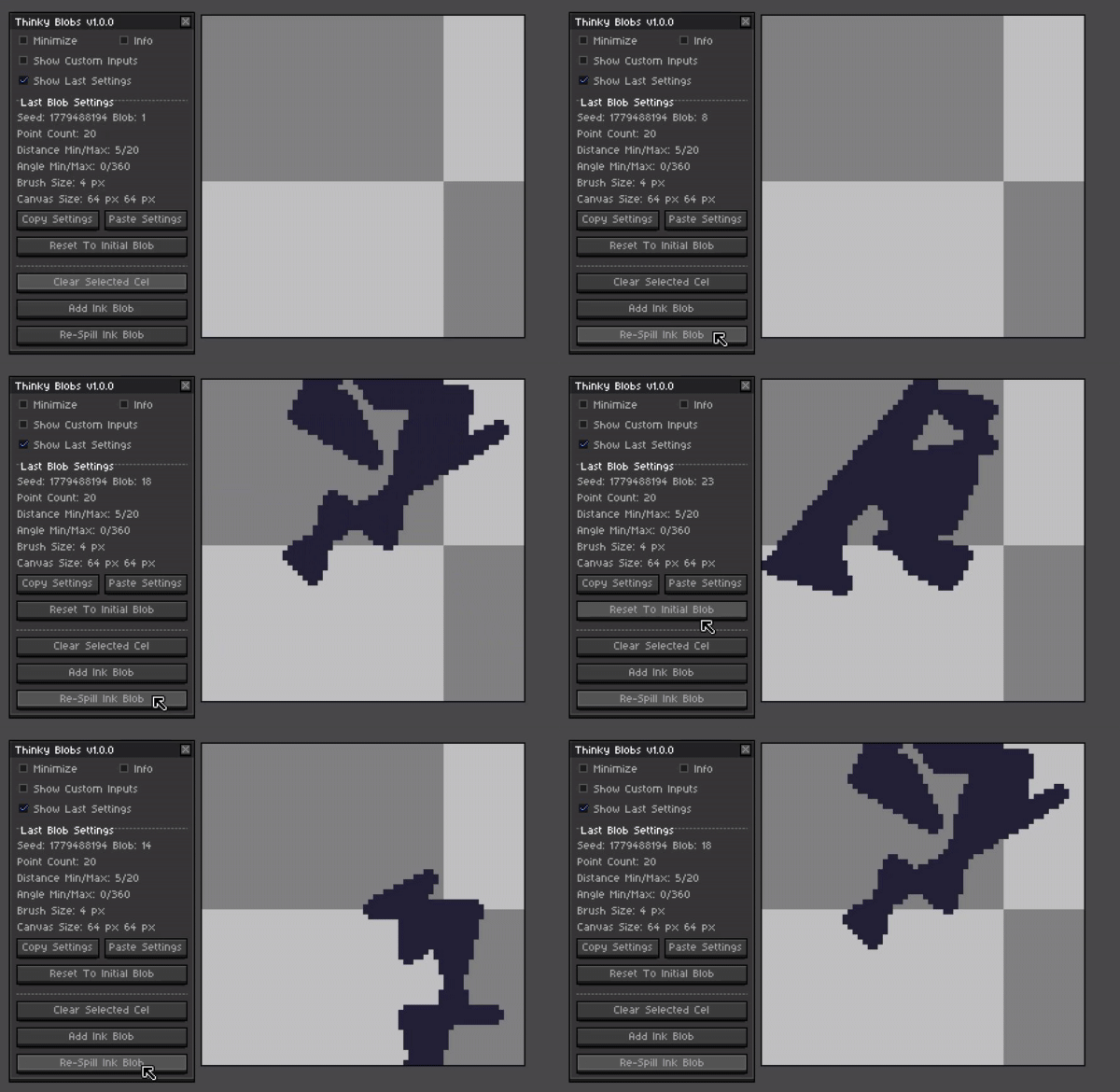
If you see a previous blob that you liked and want to get back to it you can reset the current blob counter to go back to it again.
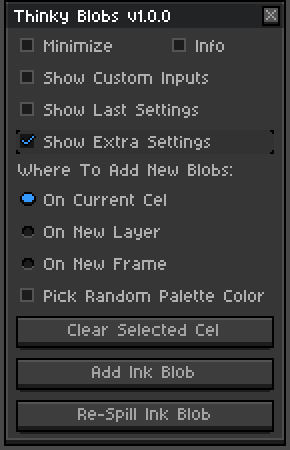
Create New Blobs On Cel Layer Or Frame
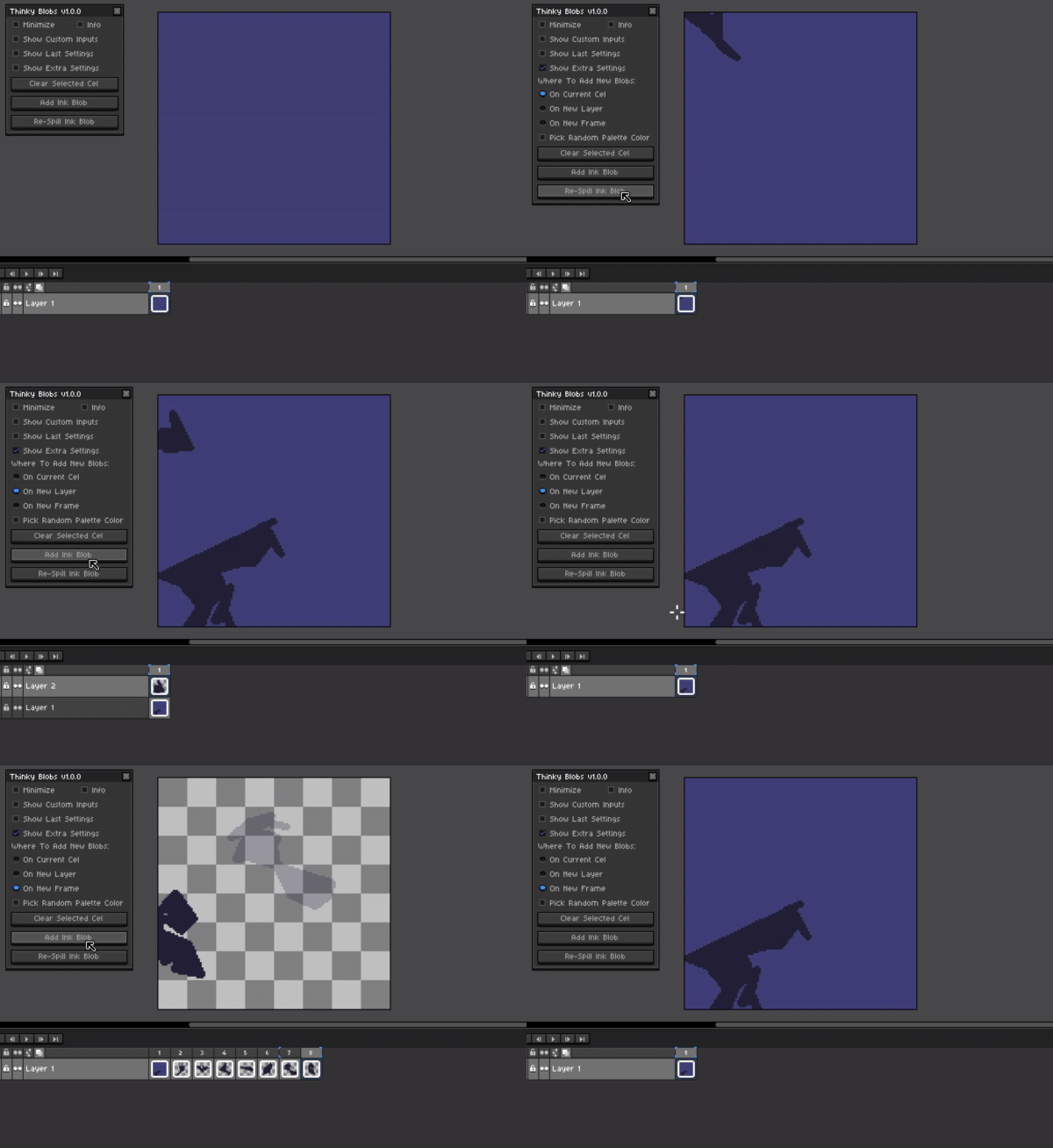
Choose where the next blob goes, either on the current cel, a new layer or even on a new frame for each new blob created.
Pick Random Colors For Next Blob
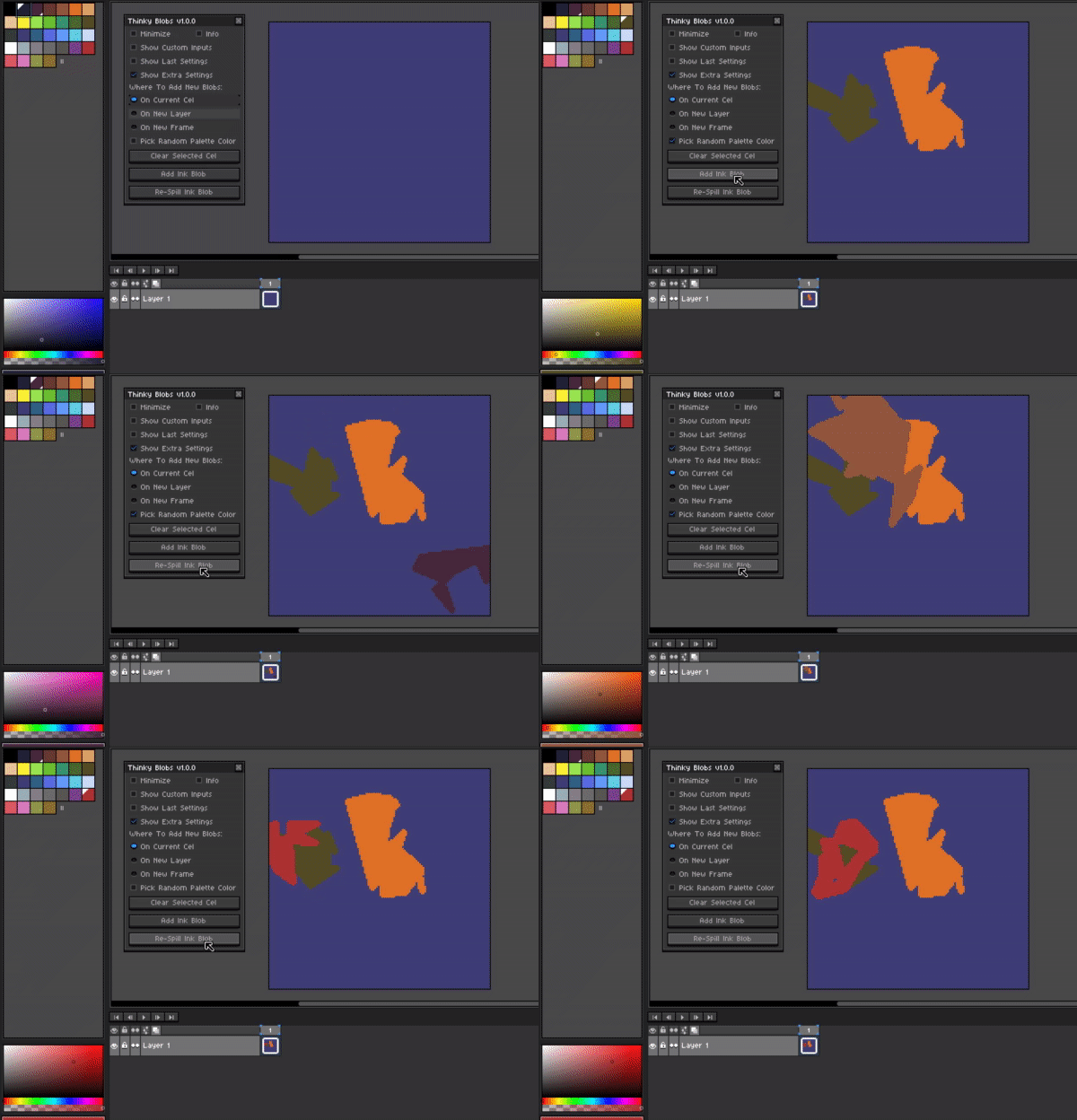
Toggling on the Pick random color will choose a random color from your current color palette each time a blob is drawn. Unchecking this box will keep the current color for all new blobs.
Share your creations in the comments down below!
Would love to see what shapes everyone will choose and what is seen with in them.
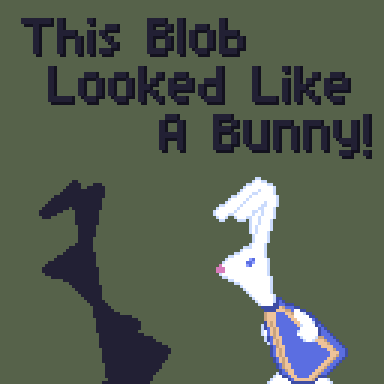
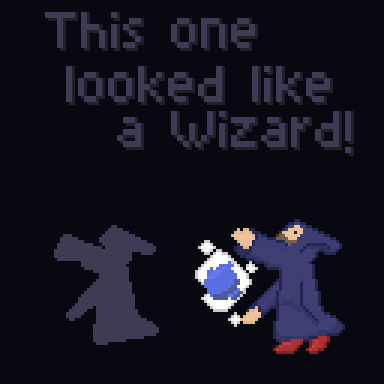
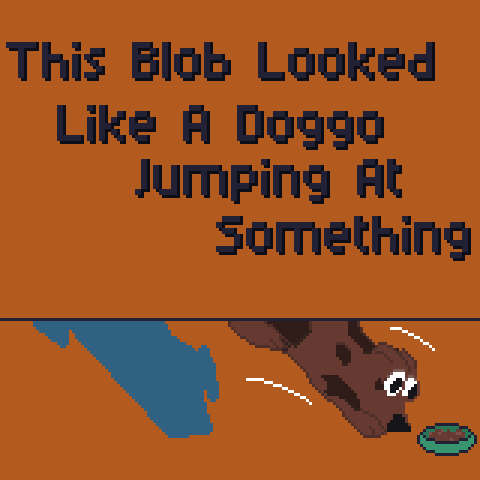
Some examples of the ones that I drew are here below!
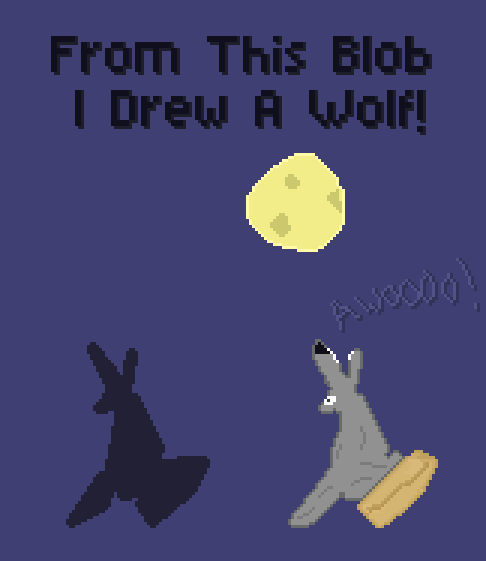
Let's get inspired... no wait... INKspired!
Installing:
- Installing and updating can be done by simply double clicking or dragging and dropping the extension file in to Aseprite.
- This will put all the files where they need to go automatically.
- You can also enable and disable the extension as well from the settings menu in Edit>Preferences>Extensions if needed.
--Simple Usage License / Rights--
Simple Usage License / Rights © CarbsCode 2026 All Rights Reserved. (Updated 8/21/25)
By using the script included with this file you understand that you are using it ASIS with no guarantees.
Though the script / toolbar is not intended to cause any harm, you understand that any such harm, such as lost of work,time or any other issues financial or otherwise, CarbsCode can not be held responsible.
You understand that you should always save your work regularly.
Please use at your own risk! If you change any of the script that may cause issues support may or may not be available.
CarbsCode reserves the right to revise this license as needed.
YOU CAN / SHOULD:
Use this script as a toolbar to assist in Aseprite for personal and/or professional use.
Make changes as you see fit for your use-case. However support may not be available for modified scripts so do so at your own risk.
(Modified scripts should not be redistributed and are for internal use only.)
Always give credit to your sources or inspirations
YOU CAN'T / SHOULDN'T:
Re-sell, copy, transfer or distribute entire script or parts of this script without permission.
Distributing products that mimic the layout and functionality to the extent that they may cause confusion between original products is also not permitted.
Usage of this tool in any training of AI (Artificial Intelligence) models is strictly prohibited.
Usage of this tool to create NFT (Non-Fungible Tokens) is strictly prohibited.
------------------
Please report any bugs if you find some and Carbs will try and resolve as soon as possible!
Hope you all enjoy the tool! Please feel free to reach out or leave a comment if you have any issues or feedback!
❤ Thank you all for the amazing support ❤
Bugs / Feature Requests:

Please check out the new issues page if you find any bugs or want to make a feature request!
A Very Special Thank You To Supporters
Going Above And Beyond 🥰
Purchase
In order to download this Aseprite Extension you must purchase it at or above the minimum price of $5 USD. You will get access to the following files:
Development log
Comments
Log in with itch.io to leave a comment.
This is another great plugin, Carbs! When I'm thinking about drawing something, but not sure what to draw, this gets the ideas flowing. Usually, it only takes me a couple of clicks and then I find myself shading in a unique NPC or item that I would have never thought of otherwise.
Ayeee Thanks man! Glad to see you checking out another tool of mine and getting some insperati.... INKsperation hahaha Would love to see some of these npcs you've been creating if you would like to share them! Feel free to post in the comments here :D
Def one of my favorite things about this project is you see things you never think to draw, leads to some very wacky and playful ideas.
Much love dude!
Well, ok, here's one. I don't have the original blob. When I looked at it, I thought "Is that a dwarf mooning me?" Which I hereby present to you as the dwarven plumber:
P.S. I use Carb Code color shader utility to help me with the shading!
Oh my, this was unexpected indeed XD Really fun though and like you said never would have thought to draw a dwarven plumber! Gives me ideas about what a game might look like with this character, fighting off broken pipes or rats and leveling up skills to go deeper in to the dark sewers.
Oh also a small tip for better visibility when posting btw! When you exporting via file>export setting it to 300-400% makes a larger image but keeps the pixel goodness as it scales everything up!
Thanks for sharing this!
Ok, I updated it with 300% export above. I have a water weapon in my 16/32 bit game. This little guy will be used to upgrade that weapon.
Do you have any shading tips? I'm new to shading and lean on your shading tool to pick shading colors, but otherwise, I don't really know what I'm doing.
had so much fun!!! (w/speed paint)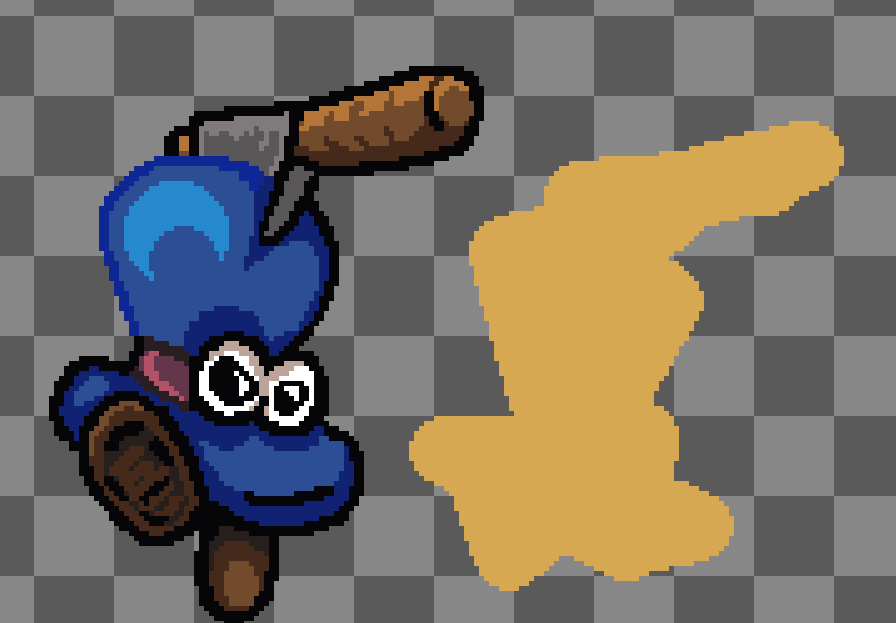
Danggggg dude this is so good! Amazing work! Edit: woah the speed paint came out incredible too, love seeing the character come to life ha